

The way people find brands is changing fast. Instead of searching, they’re asking, and AI tools like ChatGPT, Gemini, Perplexity, and Claude are deciding which brands get mentioned. The Optiamaze AI Visibility Audit Pack helps agencies and marketing teams measure that presence with ready-to-use templates built for today’s AI-driven search landscape.
Four editable templates designed for end-to-end visibility analysis:
- Audit Presentation (Slide Deck)
- Report Template (Spreadsheet)
- Audit Checklist (Spreadsheet)
- Prompt Pack (Document)
Get the Pack Now — access all four editable Google files instantly after checkout.

An editable Google Slides deck designed to help you summarize visibility scores, sentiment trends, and key takeaways. It’s structured for storytelling and ready to customize with your own branding, making it ideal for client reports and performance reviews.

Sample: Cover Template
Discover how your brand appears in AI-generated results with the Optiamaze AI Visibility Audit — a deeper look into emerging visibility signals.
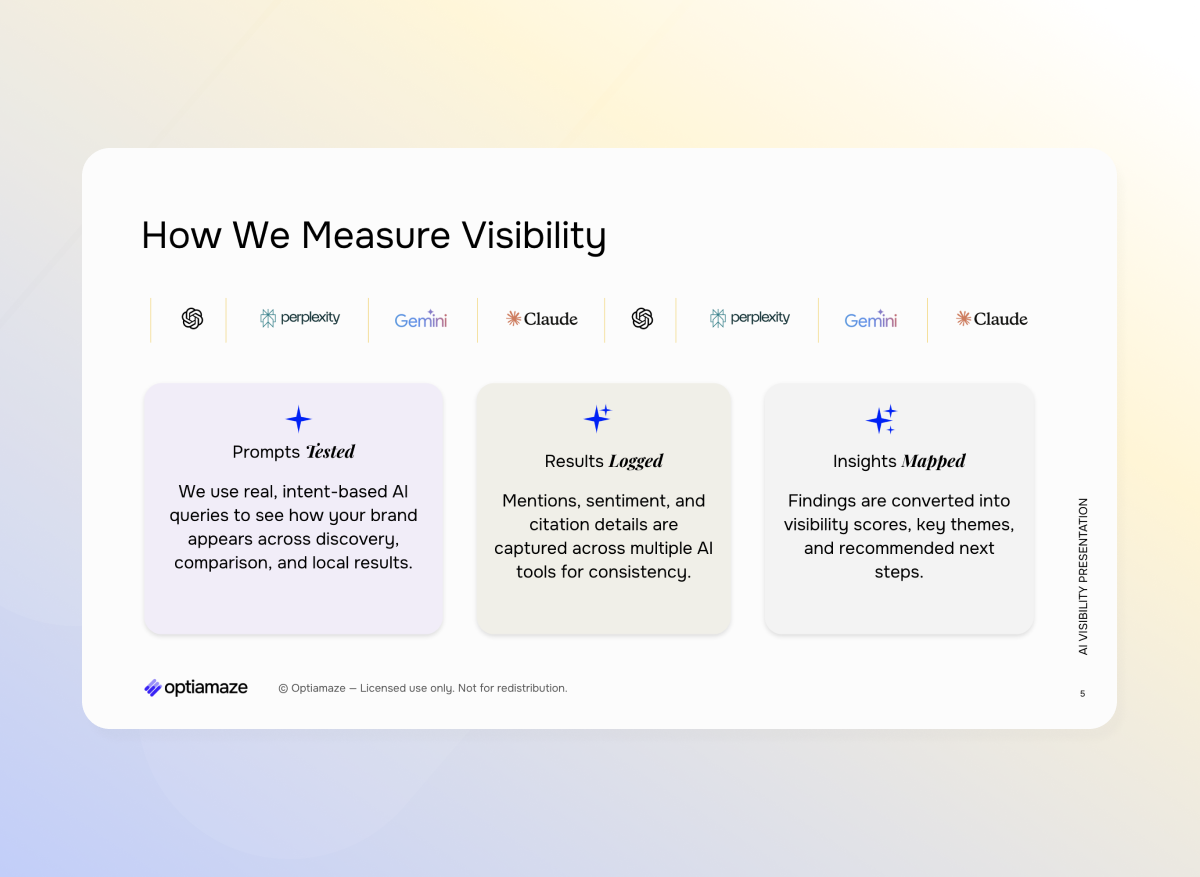
Sample: Methodology Slide
Visibility is measured through real AI queries, logged results, and mapped insights — turning search data into clear visibility scores and next steps.
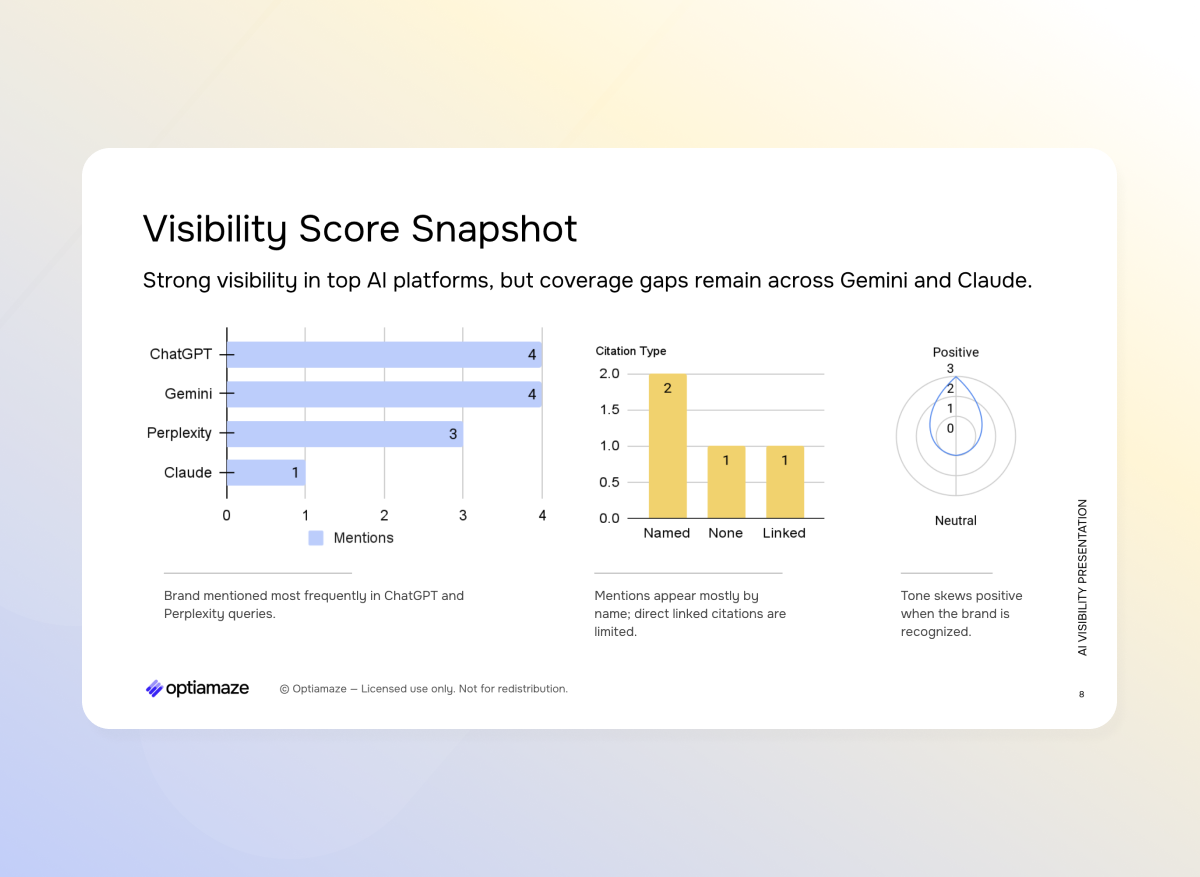
Sample: Visibility Snapshot
A snapshot of visibility performance across major AI platforms — highlighting strong presence in ChatGPT and Perplexity, with room to grow on Gemini and Claude.
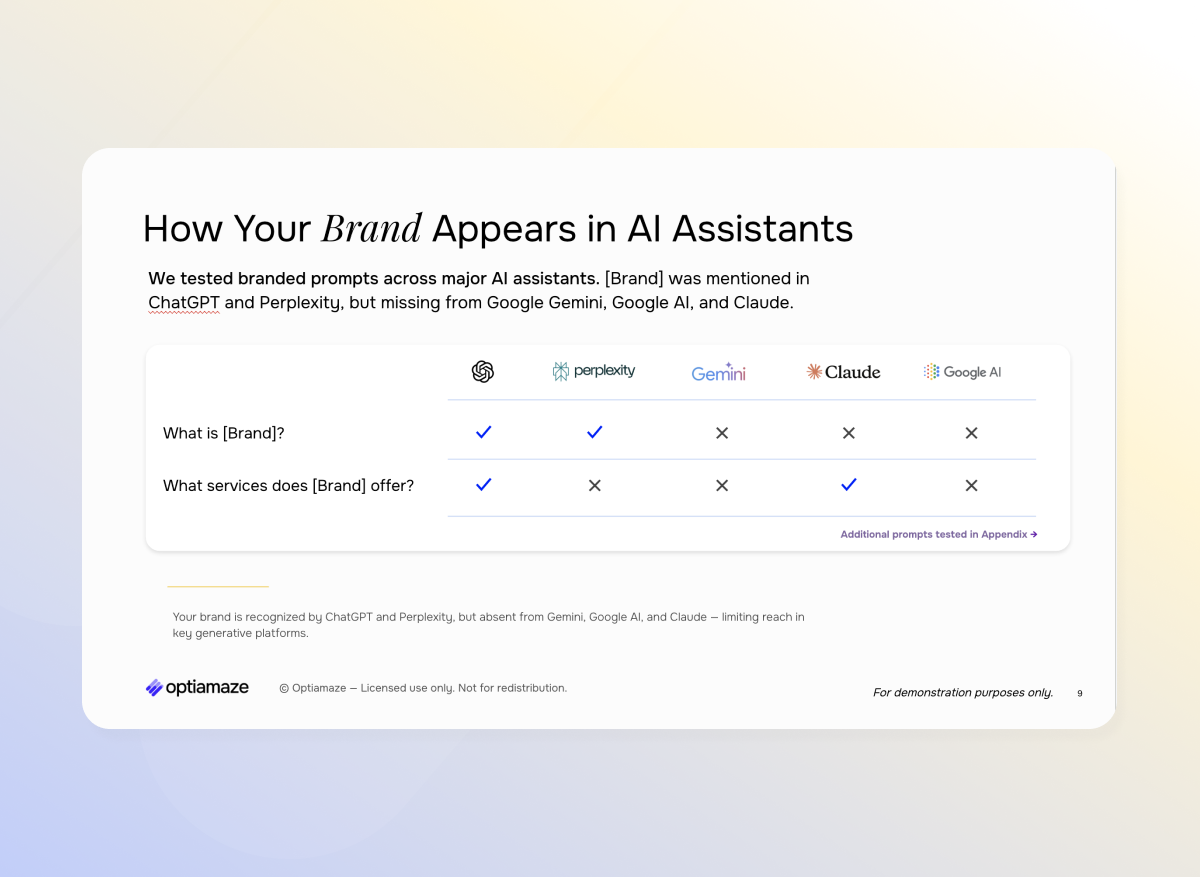
Sample: AI Assistant Comparison
An overview of how your brand is recognized by leading AI assistants — revealing coverage gaps and consistency across ChatGPT, Perplexity, Gemini, Claude, and Google AI.
A pre-built Google Sheet that captures and organizes your visibility metrics across AI platforms. It includes scoring for visibility, sentiment, and citation patterns, helping you identify trends and opportunities at a glance.
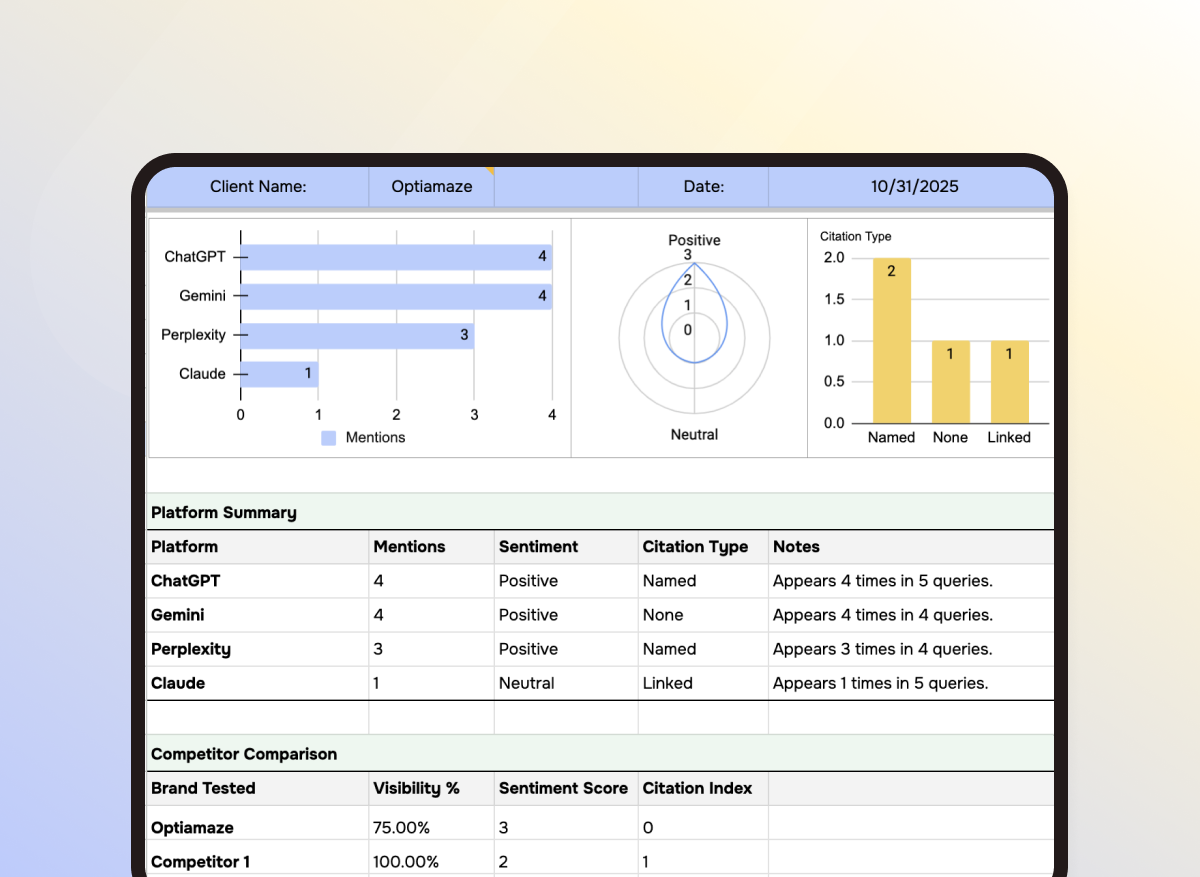
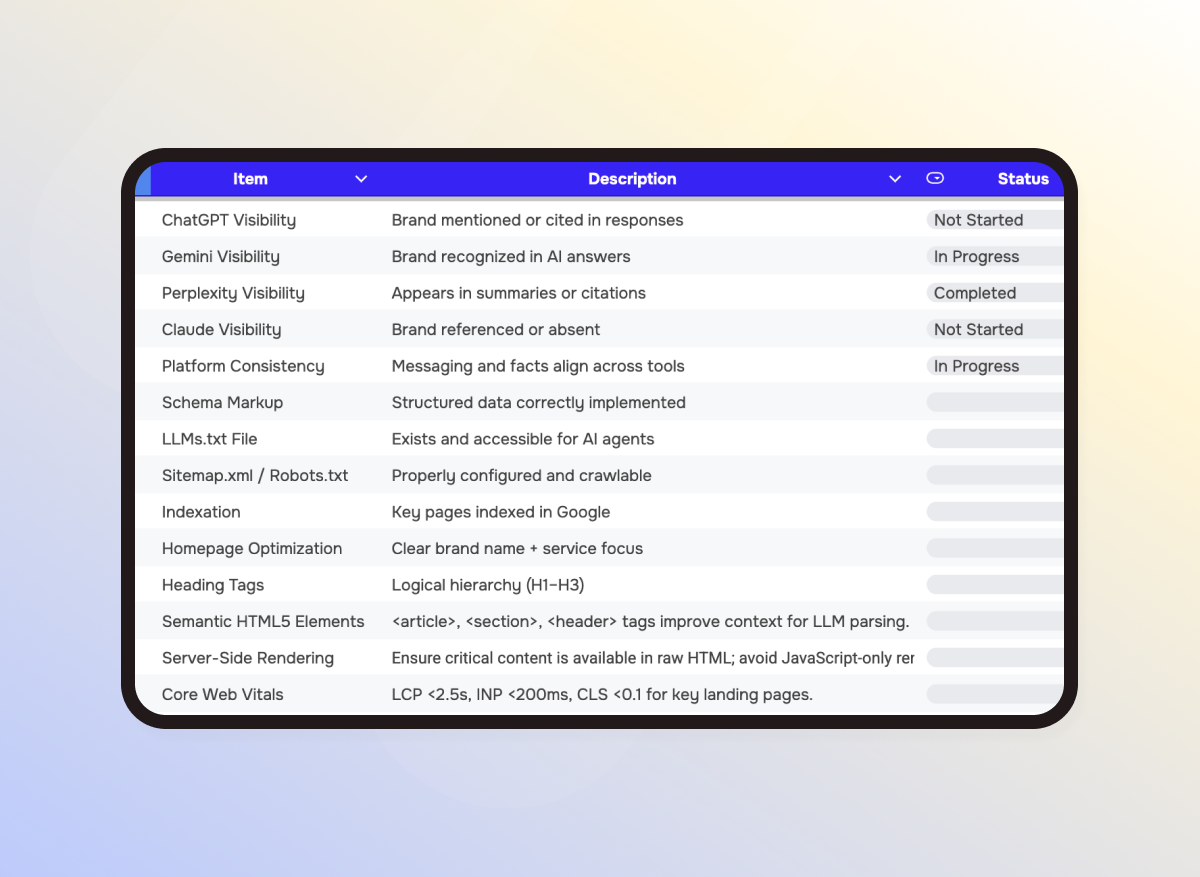
A detailed, editable checklist covering technical health, authority signals, and content readiness. Use it to evaluate websites step by step and ensure every factor that impacts AI search visibility is accounted for.
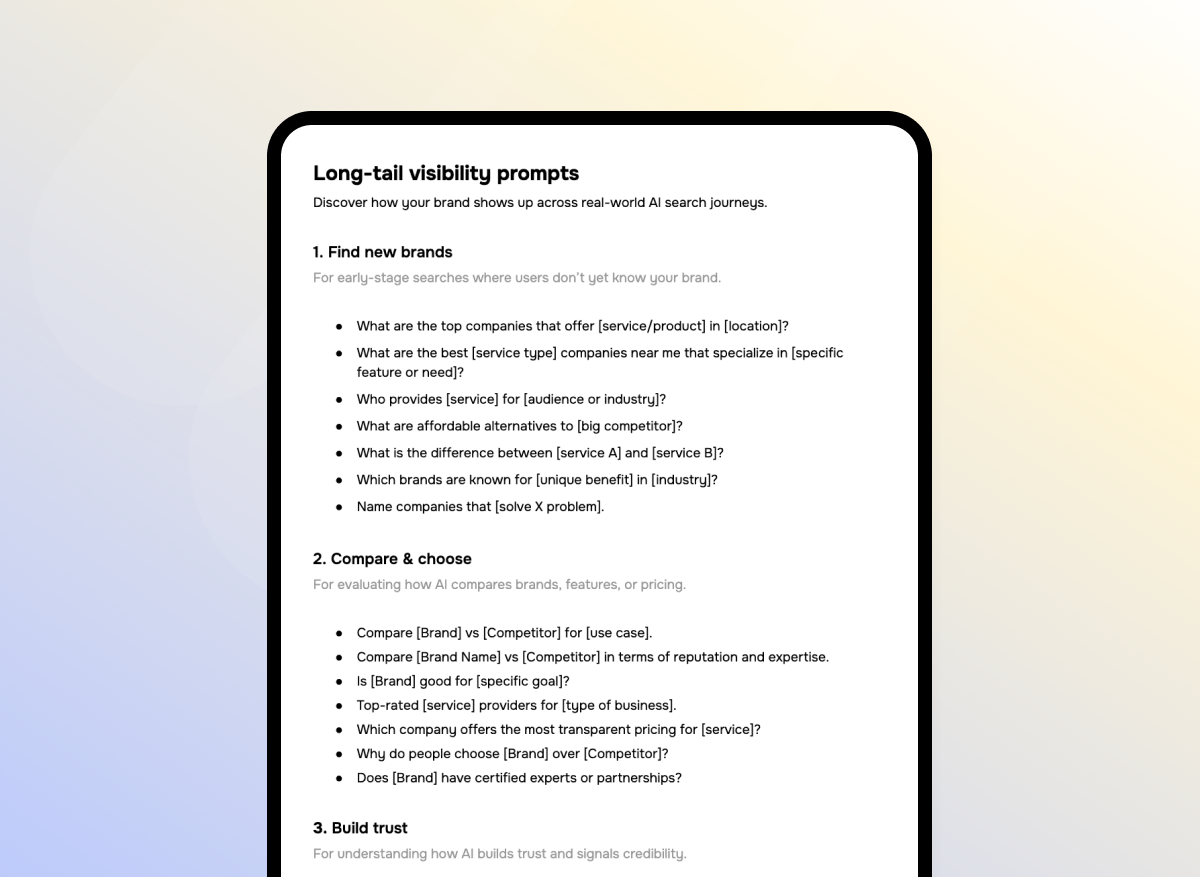
A ready-to-use document with tested AI prompts for ChatGPT, Gemini, Perplexity, and Claude. Each prompt is designed to help you evaluate brand visibility, compare competitors, and uncover how AI tools describe your business.
Each file in the pack works together as part of a simple, repeatable workflow — from prompts to presentation. After checkout, you’ll get instant access to editable Google files ready to copy and use.
- Copy the files: Open the shared folder and make a copy of each template (Presentation, Report, Checklist, Prompt Pack).
- Run the prompts: Use the Prompt Pack inside ChatGPT, Gemini, or Perplexity to see how AI tools describe your brand.
- Record results: Log mentions, citations, and sentiment in the Report Template — scores update automatically.
- Check your site: Use the Audit Checklist to confirm technical, content, and authority readiness for AI discovery.
- Share findings: Present visibility insights and next steps with the editable Audit Presentation Deck.
Repeat anytime to track how your brand’s visibility evolves across AI platforms.